

Finding the perfect mechanical keyboard doesn't have to break your bank account. Whether you're a gamer looking for responsive keys or a writer who types all day, the right budget mechanical keyboard can transform your computer experience without costing a fortune.
Mechanical keyboards have become incredibly popular because they offer better typing feel, longer lifespan, and more reliable performance compared to regular membrane keyboards. The good news is that you can now get all these benefits for under $100.
In this guide, we'll explore everything you need to know about choosing the best budget mechanical keyboard that fits your needs and budget perfectly.
What Makes a Mechanical Keyboard Special?
Before diving into specific recommendations, let's understand what sets mechanical keyboards apart from regular keyboards. Each key on a mechanical keyboard has its own individual switch underneath. This design creates several advantages:
Better Typing Experience: Every keypress feels crisp and responsive. You'll notice the difference immediately when you start typing on a mechanical keyboard.
Longer Lifespan: Most mechanical switches are rated for 50-100 million keypresses. Compare this to membrane keyboards that typically last 5-10 million presses.
Customizable Feel: Different switch types offer various levels of resistance and sound. You can choose switches that match your typing style perfectly.
Improved Gaming Performance: Mechanical switches register keypresses faster and more accurately, giving gamers a competitive edge.
Top 5 Best Budget Mechanical Keyboards Under $100
1. Keychron K2 V2 - Best Overall Budget Pick
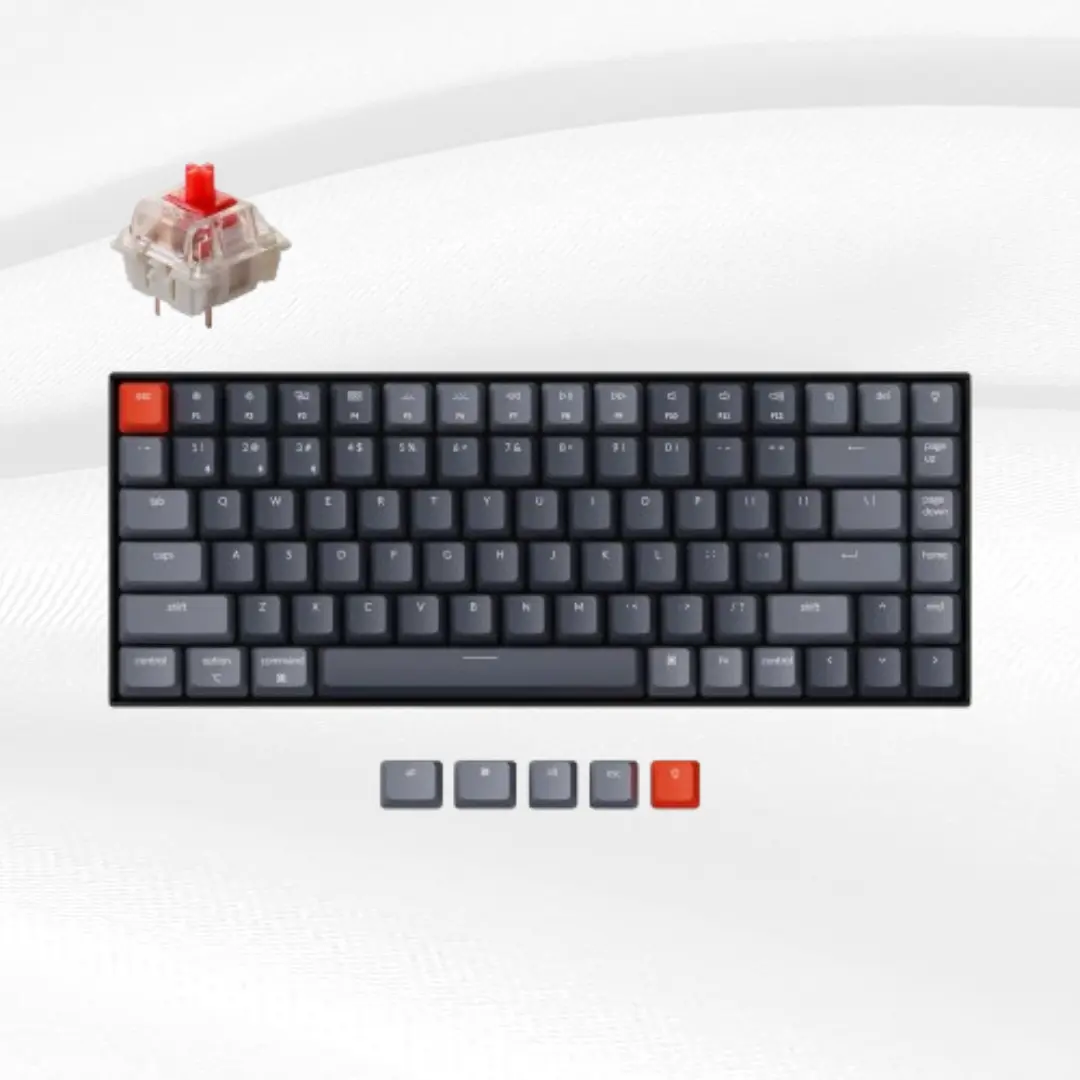
The Keychron K2 V2 stands out as our top choice for the best budget mechanical keyboard. This 75% layout keyboard offers wireless connectivity and works seamlessly with both Windows and Mac computers.
Key Features:
Hot-swappable switches (you can change switches without soldering)
Bluetooth 5.1 and USB-C connectivity
RGB backlighting with multiple effects
Aluminum frame construction
Mac and Windows key layout included
4000mAh battery for wireless use
Price Range: $49.99 $74.99
The K2 V2 comes with Gateron mechanical switches, which provide smooth typing and good durability. The wireless feature makes it perfect for clean desk setups, while the hot-swap capability lets you customize your typing experience later.
2. Royal Kludge RK61 - Best Compact Option
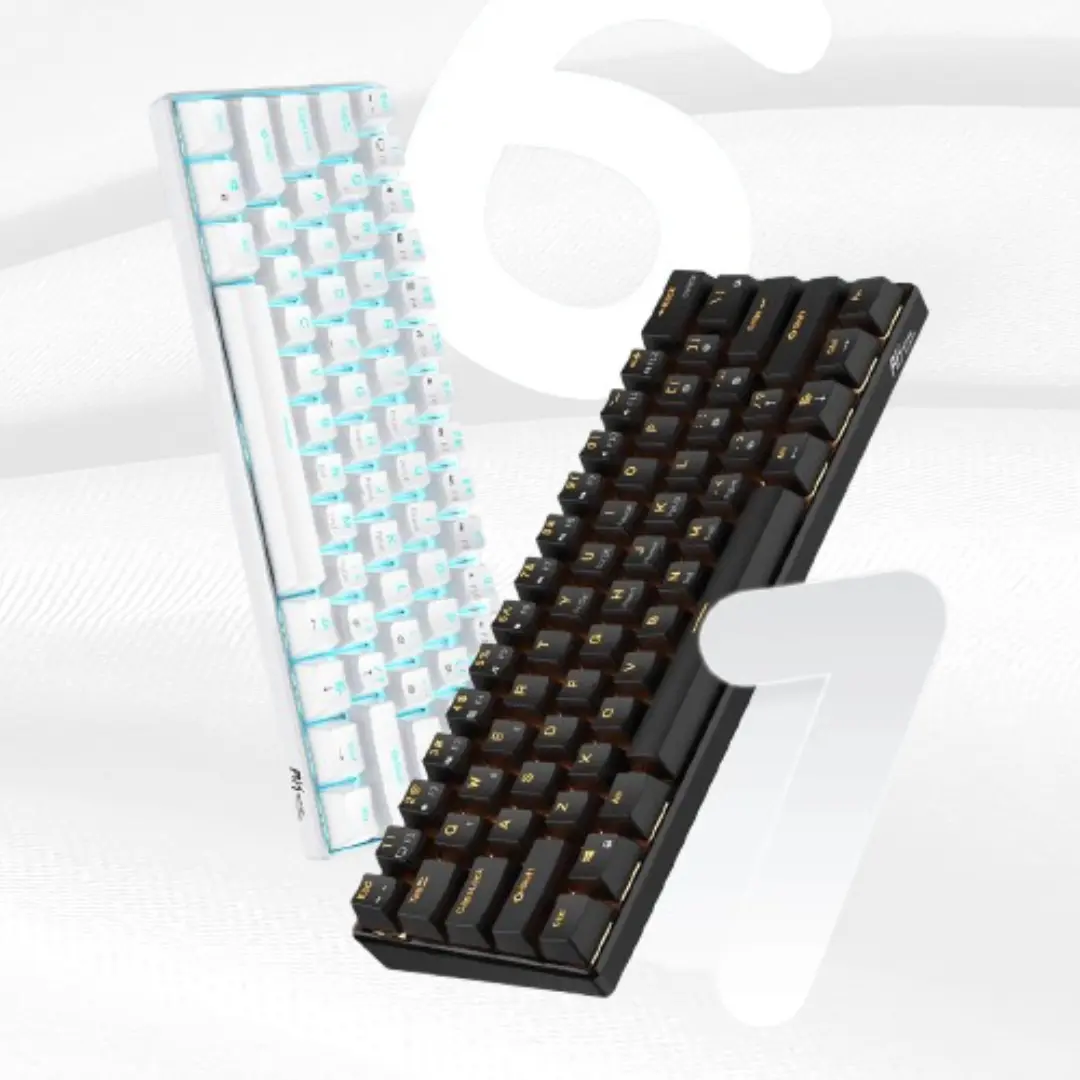
For users who want a smaller footprint, the RK61 offers excellent value in a 60% form factor. This keyboard removes the function keys and number pad to save space while maintaining all essential keys.
Key Features:
Triple connectivity (Bluetooth, 2.4GHz wireless, USB-C)
Hot-swappable switches
South-facing PCB for better keycap compatibility
1900mAh battery
Multiple switch options available
Price Range: $68.98 $54.74
The RK61 is perfect for gamers and minimalist users who want maximum desk space. Despite its compact size, it doesn't compromise on build quality or features.
3. Redragon K552 Kumara - Best Gaming Budget Keyboard
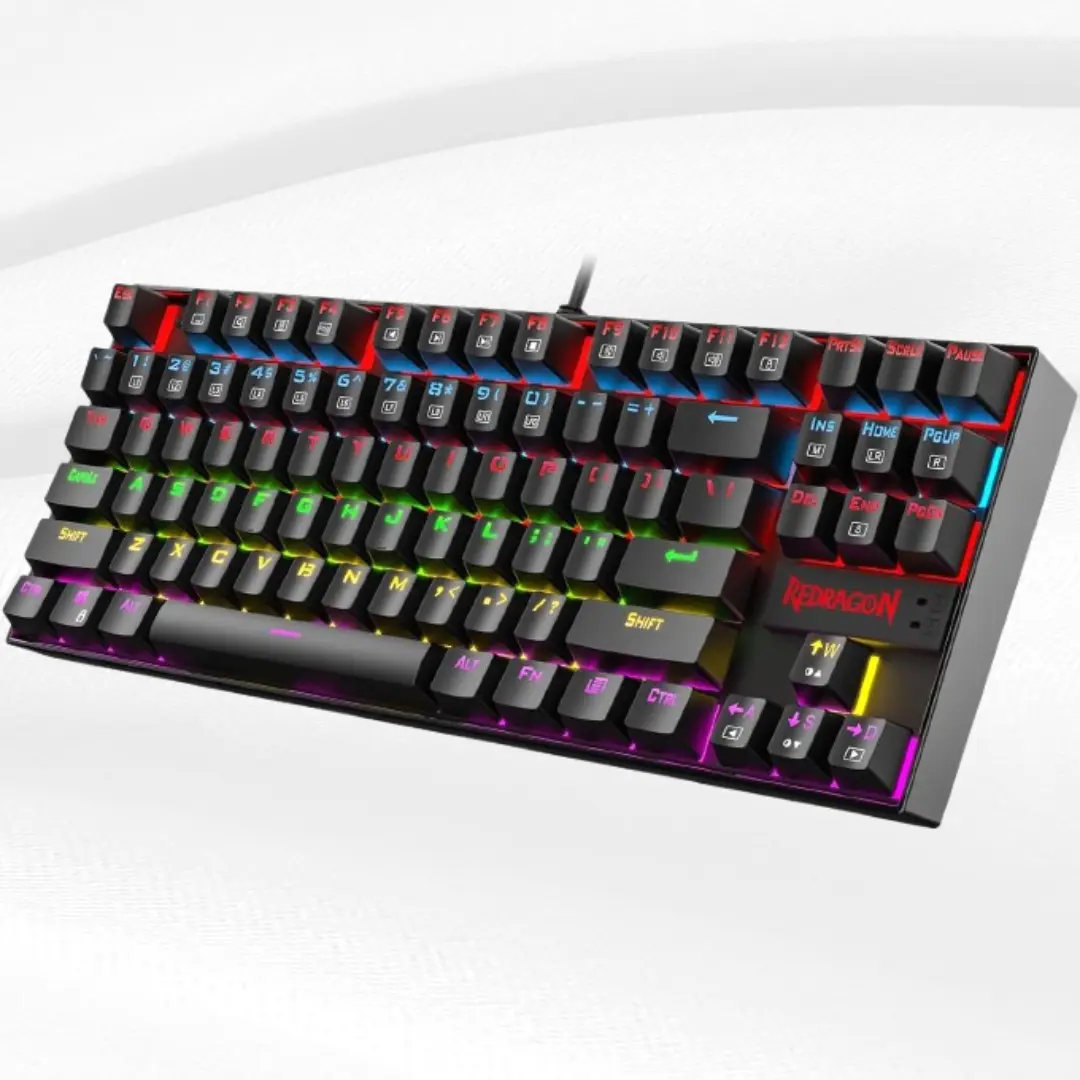
The Redragon K552 has earned a reputation as one of the most reliable budget gaming keyboards. It focuses on essential features without unnecessary extras that increase the price.
Key Features:
Tenkeyless (TKL) design saves space
Blue mechanical switches with tactile feedback
LED backlighting (single color)
Durable construction with metal base
Anti-ghosting for gaming
Windows key lock function
Price Range: -18% $28.81
This keyboard is ideal for gamers on a tight budget who still want mechanical switch performance. The blue switches provide clear tactile feedback that's great for both gaming and typing.
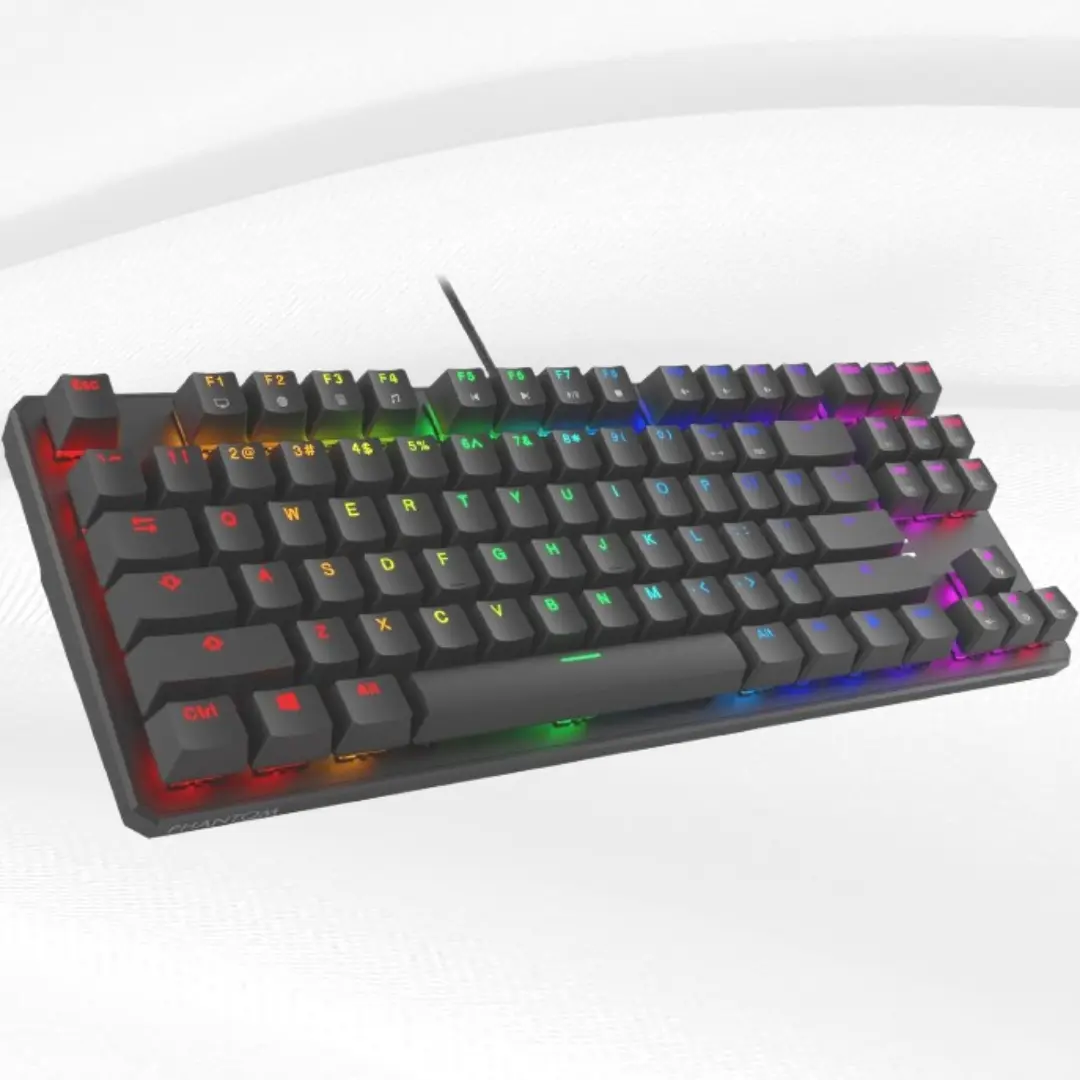
4. Tecware Phantom 87 - Best Value for Money
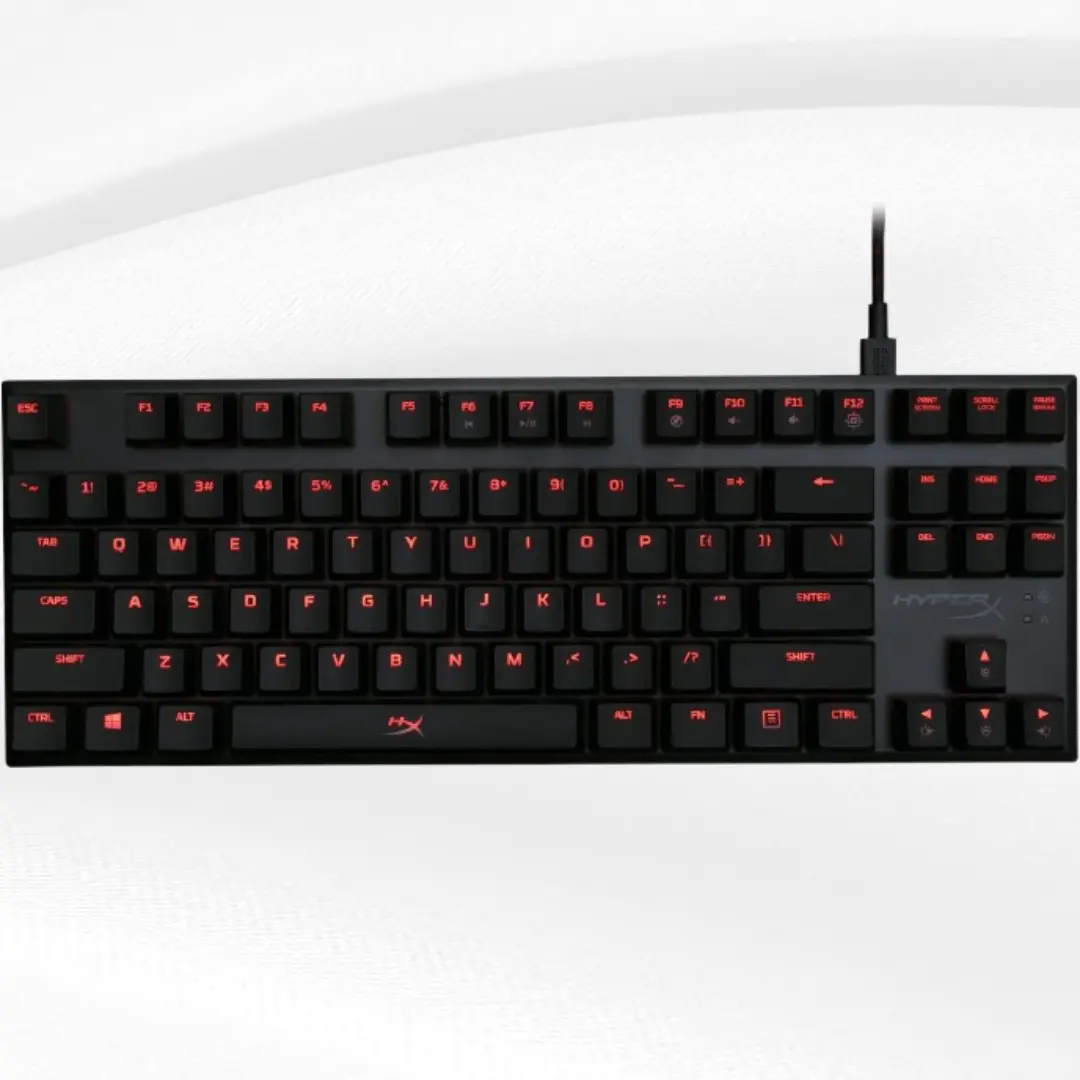
The Tecware Phantom 87 offers premium features at an incredibly low price point. It's proof that you don't need to spend a lot to get a quality mechanical keyboard.
Key Features:
TKL layout with standard key spacing
Hot-swappable Outemu switches
RGB backlighting with multiple modes
USB-C connectivity with detachable cable
Double-shot PBT keycaps
Price Range: $49.99
What makes this keyboard special is the hot-swappable switches and high-quality PBT keycaps, features usually found on much more expensive keyboards.
5. HyperX Alloy FPS Pro - Best for Esports
HyperX designed this keyboard specifically for competitive gaming. It removes all non-essential features to focus on performance and portability.
Key Features:
Compact TKL design
Cherry MX mechanical switches
Solid steel frame
Detachable USB cable
Red LED backlighting
Game mode to disable Windows key
Price Range: $60-75
The Alloy FPS Pro uses genuine Cherry MX switches, which are considered the gold standard for mechanical switches. This makes it an excellent choice for serious gamers.
Key Features to Look for in Budget Mechanical Keyboards
When shopping for your first budget mechanical keyboard, certain features matter more than others. Here's what you should prioritize:
Switch Type and Quality
The switch is the heart of any mechanical keyboard. For budget options, you'll typically find:
Linear Switches: Smooth keypress with no tactile bump. Great for gaming because they're fast and quiet. Red switches are the most common linear option.
Tactile Switches: Provide a small bump when pressed, giving you feedback that the key has registered. Brown switches are popular for both typing and gaming.
Clicky Switches: Offer both tactile feedback and an audible click sound. Blue switches are perfect if you love that classic mechanical keyboard sound.
Most budget keyboards use switches from Gateron, Outemu, or Kailh. These manufacturers produce reliable switches that perform nearly as well as premium Cherry MX switches at a fraction of the cost.
Build Quality and Materials
Even budget keyboards should feel solid and durable. Look for keyboards with:
Metal Top Plates: Aluminum or steel top plates prevent flex and provide stability during intense gaming sessions.
Quality Keycaps: PBT plastic keycaps last longer and resist wear better than ABS plastic. Double-shot or dye-sublimated legends won't fade over time.
Stable Switches: The switches should feel consistent across all keys without wobble or mushiness.
Connectivity Options
Modern budget mechanical keyboards offer various connectivity options:
Wired USB: Most reliable with zero latency. Perfect for gaming and ensures your keyboard never runs out of battery.
Bluetooth: Great for clean setups and switching between multiple devices. Look for Bluetooth 5.0 or newer for stable connections.
2.4GHz Wireless: Offers the low latency of wired connections with wireless convenience. Usually requires a USB receiver.
Size and Layout Options
Keyboard size affects both functionality and desk space:
Full Size (100%): Includes number pad and all function keys. Best for data entry and users who frequently use number keys.
Tenkeyless (TKL - 80%): Removes the number pad but keeps function keys. Perfect balance of functionality and space savings.
75% Layout: Compact design that keeps most keys while saving space. Function keys are accessed through a function layer.
60% Layout: Ultra-compact with only the main letter and number keys. Requires function layers for everything else.
Backlighting and Customization
While not essential, lighting can enhance your experience:
Single Color LED: Simple and effective. Usually white, red, or blue lighting.
RGB Backlighting: Full spectrum lighting with customizable colors and effects. More expensive but offers personalization options.
Software Support: Some keyboards come with software for customizing lighting, macros, and key assignments.
How to Choose the Right Switch for Your Needs
Switch selection is crucial for your typing and gaming experience. Here's how to choose:
For Gaming
Linear switches work best for gaming because:
Faster actuation without tactile bumps
Consistent feel across all keys
Quieter operation for late-night gaming
Less finger fatigue during long sessions
Popular gaming switches: Red, Black, and Speed switches.
For Typing
Tactile switches are ideal for typing because:
Tactile feedback confirms keypress registration
Helps reduce typing errors
Satisfying feel for long typing sessions
Good balance for mixed gaming and typing use
Popular typing switches: Brown, Clear, and Tactile switches.
For Office Environments
Tactile or Linear switches work well in offices:
Avoid clicky switches as they're too loud
Brown switches offer feedback without excessive noise
Red switches are nearly silent
Consider dampeners or O-rings for even quieter operation
Budget Mechanical Keyboard Maintenance Tips
Taking care of your mechanical keyboard ensures it lasts for years:
Regular Cleaning
Weekly Cleaning: Use compressed air to blow out dust and debris from between keys.
Monthly Deep Clean: Remove keycaps and clean them separately. Use a soft brush to clean the switch housing and plate.
Spill Prevention: Keep drinks away from your keyboard. If spills happen, disconnect immediately and clean thoroughly.
Switch Maintenance
Lubrication: Advanced users can lubricate switches for smoother operation and reduced noise. This requires disassembly and careful application.
Switch Testing: Periodically test all switches to ensure consistent operation. Replace any switches that feel different or stick.
Keycap Care
Gentle Handling: Remove keycaps carefully using a proper keycap puller to avoid damaging switches.
Proper Storage: Store removed keycaps in a safe place to prevent loss or damage.
Replacement: Budget keyboards often use standard keycap sizes, making replacement easy and affordable.
Common Mistakes to Avoid When Buying Budget Keyboards
Learning from others' mistakes can save you money and frustration:
Ignoring Switch Preferences
Don't assume all mechanical switches feel the same. If possible, try different switch types before buying. Many electronics stores have display models you can test.
Focusing Only on Price
The cheapest option isn't always the best value. Consider build quality, features, and brand reputation. Sometimes spending $20 more gets you significantly better quality.
Overlooking Size Requirements
Make sure you understand what keys you'll lose with compact layouts. 60% keyboards require function layers for arrow keys and function keys, which some users find inconvenient.
Neglecting Software Support
Some keyboards require specific software for customization. Check if the software is regularly updated and compatible with your operating system.
Buying Without Reading Reviews
User reviews reveal real-world issues that specifications don't show. Look for reviews that mention long-term use and common problems.
Upgrading Your Budget Mechanical Keyboard
One advantage of mechanical keyboards is their upgradeability:
Keycap Upgrades
Custom Keycaps: Replace stock keycaps with higher quality or custom designed options. This is the easiest and most visible upgrade.
Different Materials: Upgrade to PBT keycaps if your keyboard came with ABS caps. PBT lasts longer and feels better.
Profile Changes: Try different keycap profiles like Cherry, OEM, or SA for different typing feels.
Switch Modifications
Hot-Swap Compatibility: If your keyboard supports hot-swappable switches, you can try different switch types without soldering.
Switch Lubrication: Lubricating switches reduces scratchiness and noise while improving smoothness.
Spring Swaps: Change switch springs to alter the weight and feel of your switches.
Stabilizer Improvements
Stabilizer Tuning: Properly lubricated and tuned stabilizers eliminate rattle in larger keys like spacebar and enter.
Replacement Stabilizers: Higher quality stabilizers can significantly improve the feel of modifier keys.
The Future of Budget Mechanical Keyboards
The budget mechanical keyboard market continues to evolve rapidly:
Improving Quality
Manufacturers are offering better switches, materials, and features at lower prices. What cost $150 five years ago now costs $75 or less.
More Customization Options
Hot-swappable switches and standard layouts make customization accessible to budget-conscious users.
Better Software
Keyboard software is becoming more user-friendly and feature-rich, even for budget options.
Wireless Technology
Bluetooth and 2.4GHz wireless technology is becoming standard in budget keyboards, offering convenience without premium pricing.
Frequently Asked Questions (FAQs)
What is the difference between mechanical and membrane keyboards?
Mechanical keyboards use individual switches for each key, providing better tactile feedback, durability, and customization options. Membrane keyboards use a rubber dome system that's cheaper but less responsive and shorter-lasting.
Are budget mechanical keyboards good for gaming?
Yes, budget mechanical keyboards often perform just as well as expensive models for gaming. The key switches respond quickly and accurately, giving you the competitive advantage mechanical keyboards are known for.
How long do budget mechanical keyboards last?
Quality budget mechanical keyboards can last 5-10 years with regular use. The switches are typically rated for 50-100 million keypresses, far exceeding the lifespan of membrane keyboards.
Can I replace keys on a budget mechanical keyboard?
Most budget mechanical keyboards use standard keycap sizes, making replacement easy and affordable. Many also support hot-swappable switches, allowing you to change switch types without soldering.
What switch type should beginners choose?
Brown switches are ideal for beginners because they offer tactile feedback without being too loud. They work well for both typing and gaming, making them versatile for various uses.
Do I need software to use a budget mechanical keyboard?
Most budget mechanical keyboards work perfectly without software. However, some offer optional software for customizing lighting effects, programming macros, or adjusting key functions.
Are wireless budget mechanical keyboards reliable?
Modern wireless budget keyboards using Bluetooth 5.0 or 2.4GHz connections are very reliable. Battery life typically lasts weeks or months, and connection stability has improved significantly.
Can I use a budget mechanical keyboard with Mac?
Yes, most budget mechanical keyboards work with Mac computers. Some models like the Keychron K2 even include Mac-specific keycaps and layouts.
What's the best size for a first mechanical keyboard?
Tenkeyless (TKL) keyboards offer the best balance for beginners. They save desk space while keeping all essential keys easily accessible without function layers.
How much should I spend on my first mechanical keyboard?
For a quality first mechanical keyboard, plan to spend $50-80. This range offers excellent switches, good build quality, and useful features without unnecessary premium costs.
Conclusion
Finding the best budget mechanical keyboard doesn't require extensive research or huge investments. The keyboards we've discussed offer excellent value, combining quality switches, durable construction, and useful features at affordable prices.
Remember that the perfect keyboard depends on your specific needs. Gamers might prefer linear switches and compact layouts, while writers often choose tactile switches and full-size keyboards. The beauty of the current market is that you can find excellent options for any preference without spending a fortune.
Start with one of our recommended keyboards based on your primary use case and budget. As you become more familiar with mechanical keyboards, you can always upgrade components or try different switch types to find your perfect setup.
The mechanical keyboard community is welcoming and helpful, so don't hesitate to ask questions and experiment. Your perfect budget mechanical keyboard is out there waiting to transform your typing and gaming experience.
Whether you choose the versatile Keychron K2 V2, the compact RK61, the gaming-focused Redragon K552, the value-packed Tecware Phantom 87, or the professional HyperX Alloy FPS Pro, you're investing in a tool that will serve you well for years to come.
Make your choice based on your needs, not just the price tag. A quality budget mechanical keyboard will reward you with better typing comfort, improved performance, and the satisfaction of using a well-built tool every day.