Product Comparison
Select two products to compare their features, ratings, and specifications side by side.
Lenovo 100e Chromebook G2 MTK
Product 1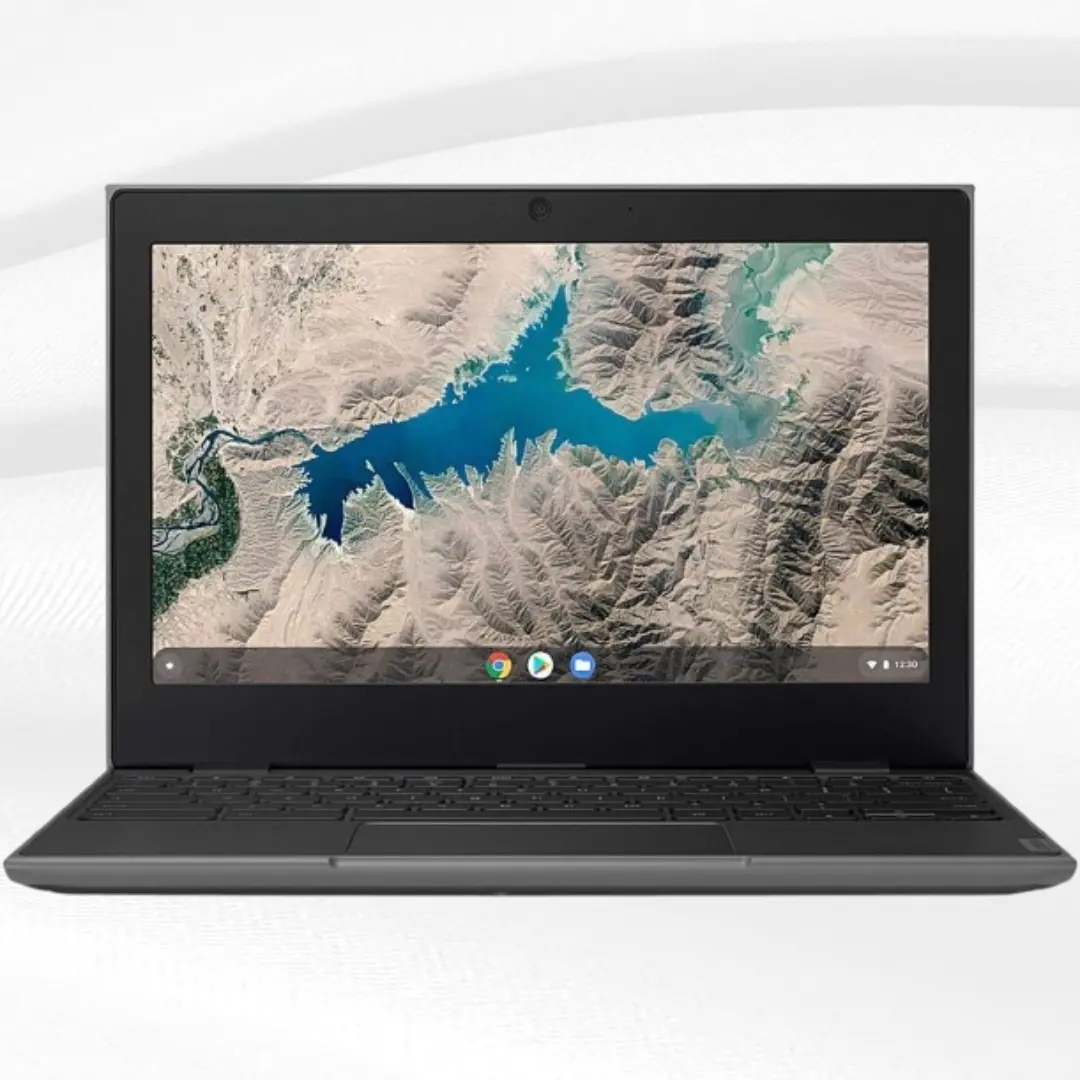
Looking for an honest Lenovo 100e Chromebook review? At $74.99 for a renewed unit, this budget-friendly device has caught attention from students, families, and bargain hunters.
Specifications:
Brand: Lenovo
Model: 100E Chromebook G2 MTK
Screen Size: 11.6 Inches
Color: Black
Storage: 32GB eMMC TLC SSD
Processor: MediaTek MT8173C
RAM: 4GB
Operating System: Chrome OS
Graphics: PowerVR GX6250 Integrated
Looking for an honest Lenovo 100e Chromebook review? At $74.99 for a renewed unit, this budget-friendly device has caught attention from students, families, and bargain hunters. But is it actually worth your money, or should you spend more on alternatives? After analyzing real user experiences and testing performance, here's everything you need to know.
The Lenovo 100e Chromebook represents the entry-level segment where every dollar counts. With 68 Amazon reviews averaging 4.0 stars, it clearly satisfies many users, but understanding its limitations helps set proper expectations before purchasing.
What You're Actually Getting for $74.99
This renewed Lenovo 100e Chromebook comes with the MediaTek MT8173C processor, which is a quad-core ARM-based chip designed for basic computing tasks. Combined with 4GB RAM and 32GB storage, you're getting a system optimized for Chrome OS rather than raw performance.
The "renewed" designation means this is a refurbished unit that has been tested and certified to work like new. Amazon's renewed program includes return policies, making it less risky than typical used electronics purchases.
At under $75, expectations should remain realistic. This isn't competing with $300+ Chromebooks but rather serving users who need basic computing functionality without breaking the bank.
Performance: The Reality Check
Daily Tasks and Web Browsing
The MT8173C processor handles basic web browsing adequately, though you'll notice slowdowns with multiple tabs. Chrome OS helps by suspending inactive tabs, but heavy multitasking reveals the hardware limitations quickly.
Google Docs, Gmail, and YouTube work fine for typical usage. However, demanding websites or complex web applications can cause noticeable lag. The 4GB RAM helps maintain reasonable performance for light multitasking.
Educational and Productivity Use
For students using Google Classroom, Docs, and Sheets, performance remains acceptable. The PowerVR GX6250 graphics handle basic video playback and simple animations without issues.
Typing documents, creating presentations, and basic research tasks work well. The limitations become apparent when switching between multiple applications or working with large documents containing images.
Multimedia and Entertainment
1080p video streaming works but can cause occasional stuttering, especially with other applications running. The integrated graphics handle 720p content smoothly, which matches the display resolution anyway.
The speakers provide basic audio quality suitable for video calls and casual media consumption. For better audio experience, headphones or external speakers are recommended.
Build Quality and Design
Construction and Durability
Lenovo designed the 100e for educational environments, resulting in surprisingly robust construction for the price. The plastic build feels solid, with reinforced corners and edges that handle typical wear better than expected.
The spill-resistant keyboard provides practical protection against accidents, though it won't survive major liquid spills. Keys offer decent tactile feedback, though some users find them slightly mushy.
Display Quality
The 11.6-inch HD display delivers 1366x768 resolution, which appears sharp enough for the screen size. However, viewing angles are narrow, and colors look washed out compared to modern smartphone screens.
Brightness levels work adequately indoors but struggle in bright environments or direct sunlight. The anti-glare coating helps reduce reflections in typical office or classroom lighting.
Keyboard and Trackpad
The keyboard layout follows standard Chromebook conventions with Chrome OS function keys. Key spacing accommodates most typing styles, though users with larger hands might find it cramped.
The trackpad supports basic multi-touch gestures but lacks the precision of premium devices. It's functional for navigation and basic tasks but can feel inconsistent with complex gestures.
Battery Life: A Strong Point
Despite the budget components, battery performance impresses consistently. Users report 6-8 hours of typical usage, including web browsing, document editing, and video streaming.
The efficient ARM processor and Chrome OS optimization contribute to solid battery longevity. For students attending full-day classes, this eliminates charging anxiety and provides reliable all-day performance.
Charging times remain reasonable, taking approximately 2-3 hours to reach full capacity. The compact charger adds to the device's portability advantages.
Storage and Connectivity
Storage Reality
The 32GB eMMC storage provides limited local space, with Chrome OS and pre-installed applications consuming significant portions. Users typically have 15-20GB available for personal files.
This limitation pushes users toward cloud storage, which aligns with Chrome OS philosophy. Google Drive integration helps, but users need reliable internet access for optimal functionality.
Ports and Connectivity
Basic connectivity includes USB ports, HDMI output, and headphone jack. WiFi performance proves reliable for typical home and school networks, though range and speed depend on your specific network setup.
The port selection covers essential needs without extras. For users requiring multiple peripherals simultaneously, the limited port count becomes restrictive.
Real User Experiences
Positive Feedback
Amazon reviews frequently praise the device's value proposition and battery life. Many users appreciate the quick boot times and straightforward Chrome OS interface.
Students and parents often highlight the durability and educational software compatibility. For basic computing needs, many users express satisfaction with their purchase.
Common Complaints
Performance limitations appear in most critical reviews, particularly regarding multitasking and demanding websites. The display quality and audio receive consistent criticism.
Storage constraints frustrate users accustomed to local file storage. Some users struggle with Chrome OS limitations compared to traditional desktop operating systems.
Who Should Buy This Device?
Ideal Buyers
Budget-conscious students who need basic computing for homework, research, and online classes will find adequate functionality at an unbeatable price.
First-time Chromebook users can explore Chrome OS without major financial commitment. The low cost makes it perfect for testing compatibility with your workflow.
Secondary device seekers looking for portable backup computers or travel laptops get solid basic functionality.
Elderly users who primarily browse the web, check email, and video chat with family benefit from Chrome OS simplicity.
Who Should Look Elsewhere
Power users requiring multitasking, demanding applications, or local software installation need more capable hardware and different operating systems.
Content creators working with photos, videos, or graphics need significantly more processing power and storage capacity.
Business professionals depending on specific desktop software or advanced productivity features should consider Windows alternatives.
The Verdict: Worth It at $74.99?
At $74.99 for a renewed unit, the Lenovo 100e Chromebook delivers exceptional value for users with appropriate expectations. It's not trying to compete with premium devices but rather provide basic computing functionality at an almost unbeatable price point.
Buy if: You need an affordable laptop primarily for web browsing, basic productivity, and understand Chrome OS limitations. The renewed pricing makes it an excellent entry-level option.
Skip if: You require robust performance, local software installation, premium display quality, or plan demanding multitasking scenarios.
This device succeeds by knowing exactly what it is: a basic, reliable computer for users who prioritize affordability over performance. The 4.0-star Amazon rating reflects satisfied customers who understood what they were purchasing.
For under $75, you're getting a functional laptop with solid battery life, decent build quality, and the simplicity of Chrome OS. Just remember that exceptional value doesn't mean no compromises – it means the compromises are acceptable for the price.
Select Product 2
Choose a product to compare
Want to list your gadget on RankMyGadget?
Get your product in front of thousands of gadget lovers and tech enthusiasts who are ready to buy
Free listing • Quick approval • Get user votes and reviews