

My friend moved into a new apartment last spring.
First thing he did was look up smart home gadgets.
Second thing he did was read the lease and realize he could not put a single screw in the wall.
I have been there. Most renters have. And the good news is that in 2026, not being able to drill holes does not actually limit you much anymore.
Here is everything worth buying if you are renting.
The Renter Rule: No Permanent Changes
Before we get into products, here is the one rule everything on this list follows.
Nothing that requires drilling. Nothing that needs rewiring. Nothing that a landlord can charge you for when you move out.
Every product here is either plug-in, peel-and-stick, battery-powered, or sits on a surface. You can set all of this up in an afternoon and take it all down in an hour.
Smart Plugs: Start Here Before Anything Else
This is always the first recommendation I give renters.
Smart plugs make any device you already own controllable from your phone. Your lamp, fan, coffee maker, all of it becomes smart without touching the wiring or the outlet itself.
We tested 12 smart plugs and ranked the best ones in our best smart plugs of 2026 guide.
The Kasa EP25 4-pack at $29.99 is still the best value starting point. Four plugs, energy monitoring, Alexa and Google Home support, and zero installation required.
When you move out, you unplug them. That is the whole process.
 Security Cameras: No Mounting Required
A lot of renters assume they cannot have a security camera because they cannot drill into walls.
That is not true.
Most indoor cameras just sit on a shelf, a table, or a windowsill. No mounting hardware. No damage. Just plug into a USB outlet and position it where you want.
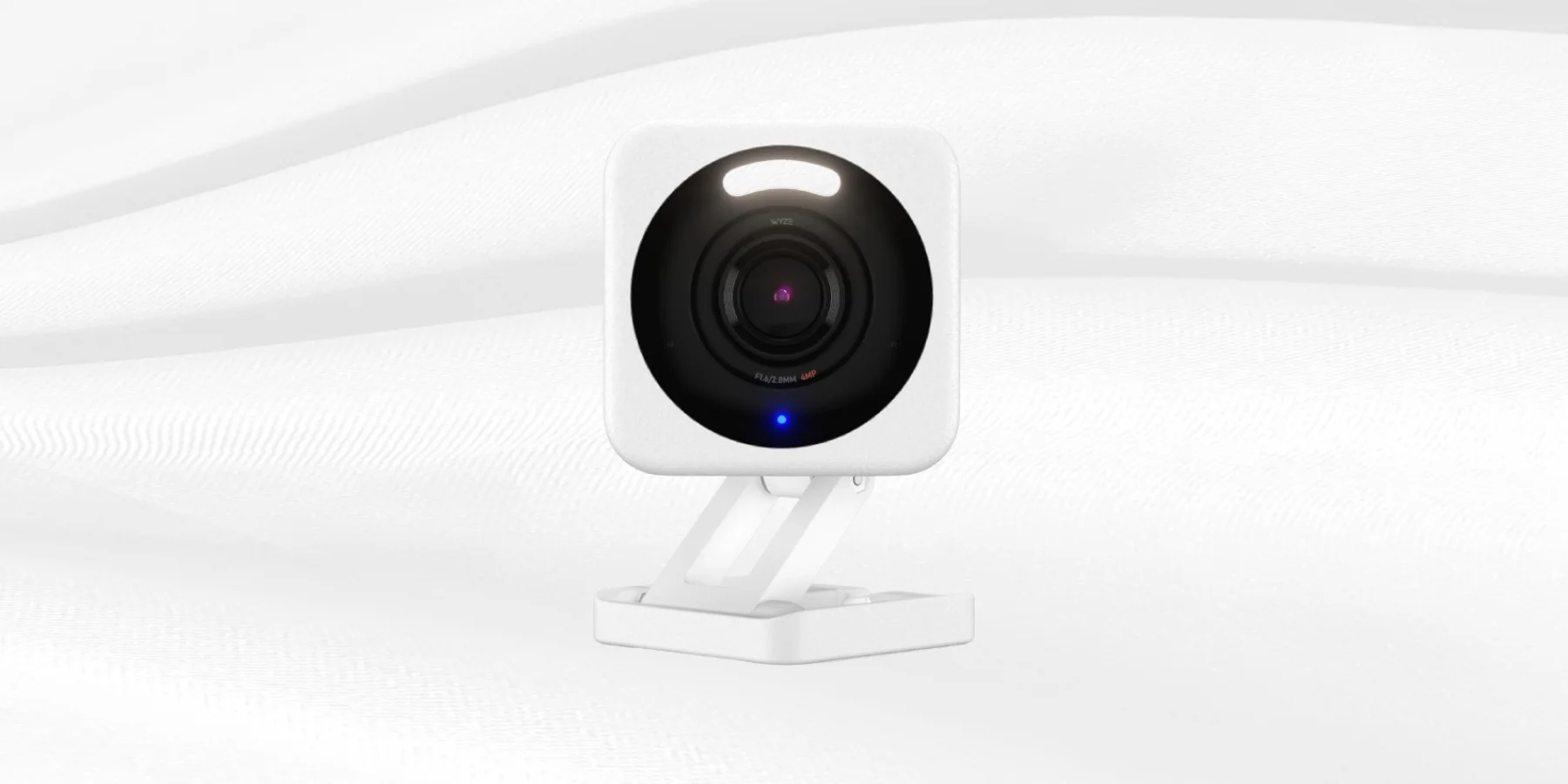
The Wyze Cam v4 is the one I recommend first for renters.
It is around $36, runs 2.5K resolution, has color night vision with a starlight sensor, and beats cameras from Ring and Nest on core features at a fraction of the price.
It shoots 2560x1440 QHD video, has a 115.8 degree field of view, a built-in 99dB siren, two-way audio, and supports local storage via microSD up to 256GB so you are not forced into a subscription.
Set it on a bookshelf facing your front door. Done. No holes, no landlord conversation, no damage deposit risk.
Smart Bulbs: Replace, Not Install
Smart lighting is one of the easiest renter upgrades because you are not adding anything permanent.
You are just swapping bulbs.
Screw in a WiZ or Kasa smart bulb where a regular bulb was. Connect to your WiFi. Control it from your phone or with Alexa. When you leave, screw back in the original bulb and take your smart bulbs with you.
We covered the full breakdown of which smart bulbs work best in every room in our best smart lights for every room guide.
For renters specifically, the WiZ Connected Color Bulb at around $12 per bulb is the cleanest option. No hub, no extra gear, no commitment.
LED Strip Lights: Peel and Stick, Not Drilled
LED strips are the renter upgrade that gets the most visible reaction.
You peel the backing, press the strip against any flat surface, and the room looks completely different within 10 minutes.
The Govee Smart LED Strip Lights at around $19.99 with coupon are the pick here. We covered them in detail in our smart home without a hub guide.
One Thing to Know Before Sticking Them
The adhesive on most LED strips is designed to be applied once.
Pulling it off can sometimes leave residue or peel paint on certain wall surfaces.
The safer approach is to stick them to furniture instead of walls. Behind your desk, under a shelf, along the back of your TV stand. Surfaces you own instead of surfaces your landlord owns.
If you want to put them on walls, 3M Command strips as a backing layer first give you a cleaner removal later.
Smart Speakers: The Hub for Everything
A smart speaker is what ties all your renter-friendly devices together.
You say one thing and everything responds. It just sits on a shelf and plugs into a wall outlet.
The Amazon Echo Dot 5th Gen at $49.99 is where most people start. It covered in our Amazon Echo Dot product listing but the short version is that it acts as a Zigbee hub for compatible devices, has a built-in temperature sensor, and is the simplest Alexa entry point available.
Google Nest Mini is the alternative for Google Home users at around $49.
Neither requires any installation. Both move with you when you leave.
Smart Locks: Check Your Lease First
Smart locks are the one category I want to address carefully for renters.
Most smart locks replace your existing deadbolt hardware entirely. That requires landlord permission in most leases.
However, there are a few renter-specific exceptions worth knowing.
Wyze Lock Bolt
The Wyze Lock Bolt installs over your existing deadbolt without replacing it. It attaches to the interior thumb turn with a clamp mechanism. No new keys cut, no lock replacement, nothing visible from outside.
Some leases still prohibit this. Read yours carefully.
Level Lock Plus
The Level Lock Plus fits entirely inside your existing deadbolt housing. From the outside it looks completely identical to your original lock. The smart mechanism lives inside.
Again, check your lease. But if your landlord is flexible, these two options exist in a renter-friendlier category than traditional smart locks.
Smart Thermostats: Usually Off Limits
I want to be upfront here because most renter smart home guides skip this.
Smart thermostats require replacing your existing wired thermostat.
That is a modification to the property and most leases prohibit it without landlord approval. Some landlords agree. Most do not because the thermostat is wired into the building's HVAC system.
If your landlord says yes, the Google Nest Thermostat at $89.99 is the right pick and we covered it fully in our Is a Smart Thermostat Worth It guide.
If your landlord says no, skip this category and focus your budget on plugs, cameras, and lighting where you have no restrictions.
The Complete Renter Starter Setup
Here is exactly what I would buy if I was setting up a smart home in a rental apartment today.
Kasa EP25 Smart Plug 4-pack for $29.99. Covers four devices immediately with energy monitoring and no installation.
Wyze Cam v4 for around $36. Sits on a shelf, no drilling, full 2.5K security coverage.
WiZ Color Smart Bulbs at around $12 each. Swap in two or three rooms and swap back the originals when you leave.
Govee Smart LED Strip Lights for around $19.99 with coupon. Stick to furniture not walls.
Amazon Echo Dot 5th Gen for $49.99. Ties everything together through Alexa with zero installation.
Total budget is around $140 to $160 depending on how many bulbs you buy. Every item goes with you when the lease ends.
What to Avoid as a Renter
Some products get marketed as renter-friendly but are not.
Anything that requires cutting power to install, like smart light switches, is wiring work that requires landlord permission.
Smart doorbells are tricky. Battery-powered models like Ring are technically removable but replacing your doorbell mechanism still touches the property's wiring. Check your lease.
Anything that involves drilling, anchoring, or mounting to walls. This includes most ceiling cameras, outdoor cameras, and permanent fixtures.
The rule is simple. If it needs a tool to install, it probably needs a landlord conversation first.
Browse the full smart home devices section for renter-friendly options organized by category.
Final Thoughts
Being a renter does not mean living in a dumb home.
Plugs, cameras, bulbs, strips, and a smart speaker cover the majority of what makes a home feel genuinely automated. None of them require a single screw.
Start with a smart plug and a Wyze camera. Add smart bulbs in the room you spend the most time in. Get a speaker to tie it all together.
By the time you move to a place where you can actually drill holes, you will already know exactly what kind of smart home you want to build.
FAQs
Can renters use smart home devices without landlord permission?
Yes for plug-in, battery-powered, and surface-placed devices. No for anything involving wiring, drilling, or replacing existing hardware like thermostats or locks without asking first.
Do smart plugs damage outlets when you remove them?
No. Smart plugs unplug exactly like any regular plug and leave zero damage.
Can I use a Wyze camera without a subscription?
Yes. The Wyze Cam v4 supports 24/7 local recording to a microSD card with no subscription required. Cloud storage features require the Wyze Cam Plus plan at $1.99 per month per camera. Price History
Are LED strip lights safe for apartment walls?
The adhesive can leave residue or peel paint depending on the surface. Sticking them to furniture instead of painted walls is the safer approach for renters.
What is the best smart camera for an apartment with no drilling?
The Wyze Cam v4 at around $36 sits on any flat surface and requires only a USB power outlet. No mounting, no drilling, no installation at all.